It stays with you.
Take a day off. Your gems stay right where they are. There are no streaks to count.
 PomoGem
日本語
Release info
PomoGem
日本語
Release info
Pomodoro timer × Focus you can see
Studying or working? Focus with a 25 minute timer. Finish it, and that time becomes a gem in your jar. See your focus add up in an iPhone app with free core features.
Coming soon to the App Store iPhone / iOS 17 or later
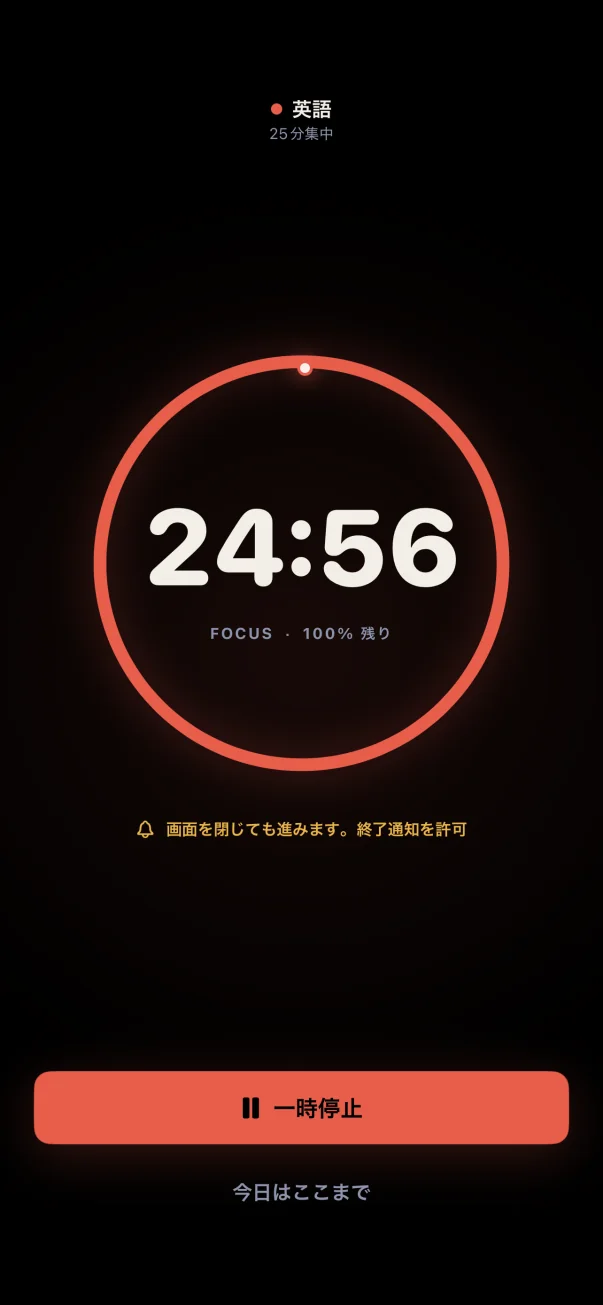
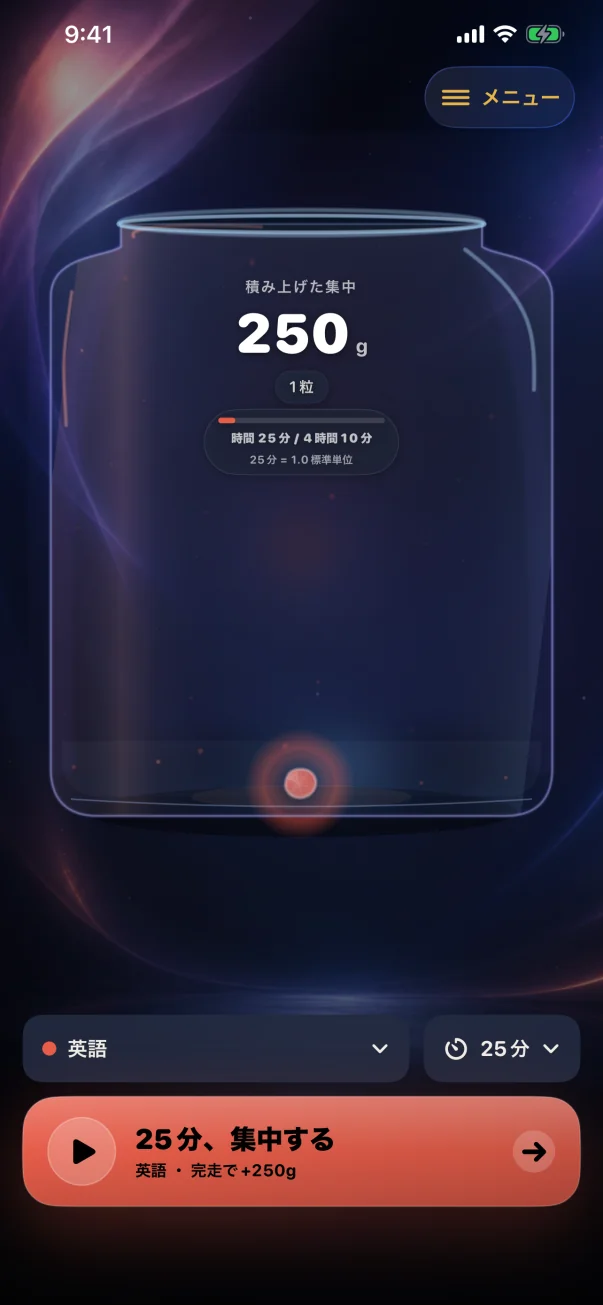
Screenshots show the Japanese app interface.
FOCUS → RECORD → GEM
Start the timer, focus, and finish. See those 25 minutes become a gem in a demo sped up to about 8 seconds.
Choose any theme: a school subject, planning, development, or other work.
The standard 25, 45, 60, and 90 minute timers are free.
25 minutes makes 250g. In the app, gems in your theme color gather with sound and haptic feedback.
A 25 minute focus session sped up to about 8 seconds
01 Focus with the timer
02 Keep it as a gem
Start the timer. Complete it to turn your focused time into a gem.
In the app, take a break before your next session. Your next 25 minutes becomes another gem.
This is a sped-up preview. It does not measure a real 25 minute session, play sounds, provide haptic feedback, or save records.
The core experience is free. Explore the featuresWHY MASS?
Focused time disappears from view the moment it ends. PomoGem turns that time into weight that feels almost tangible, instead of monitoring it. On one iPhone, the same total time always makes the same mass, whether your sessions are short or long. Tap the gems to make them bounce. Tilt your phone to watch them roll.
Take a day off. Your gems stay right where they are. There are no streaks to count.
One minute always equals 10g. Progress is based on your total focused time, not the number of sessions.
Manually added sessions also remain as a record of your effort, clearly distinguished from timed sessions.
FREE & PRO
The core experience of building up your focus stays free. PomoGem Pro adds more control over session durations and how you look back on your progress.
Pro is a one-time purchase. Review the features and terms in the App Store purchase confirmation screen within the app when you buy. Purchases and refund requests are handled through the App Store. Your statutory rights are not limited. There are no web payments or external purchases. Family Sharing is not supported.
MEASURED & MANUAL
Keep both timed sessions and self-reported focus, with a visible distinction between them. A perfect score, a passed exam, or a work milestone can be saved separately as a milestone stone that adds no mass.
A glossy gem. Included in total mass and share cards.
The theme color stays the same, with an inner dashed line to distinguish it. Timers run normally while your screen is locked. You can choose whether to include manual records when sharing.
One larger gem moves around the jar, keeping the original colors and records inside.
A little larger, weighing 0g. The latest 12 move around the jar, and all remain on the record shelf.
AFTER IT FILLS
The jar fills with light every 2.50kg (250 minutes), as many times as you keep going, and counts each fill. Any extra carries over to the next cycle. Moving gems are combined into groups of 10 to make room. Your total mass and every individual record stay intact.
Home shows your current jar. The weekly view puts measured mass first, and a long break is suggested every 1,000g (100 minutes). Open “Accumulation” in the menu for an overview of grouped gems and monthly jars. In “Accumulation Plan,” estimate future jars by changing the period, sessions per week, and 10, 25, or 60 minute sessions. Estimates are not saved to your records or iCloud and reset when you close the view.
PRIVATE, AND YOURS
At first launch, “Sync with iCloud” and “This iPhone Only” are presented as equal choices. With “This iPhone Only,” core features work without an Apple Account or a network connection, and your data is not sent automatically. If you choose and confirm iCloud, theme names, achievement notes, records, settings, and running timers sync through your Apple Account’s private iCloud storage. In Version 1.0, you cannot change storage later, and deleting the app removes records stored only on this iPhone. JSON exports cannot be reimported or used for migration. There is no account registration, analytics SDK, advertising tracking, or transmission to our own server.
Read the privacy policyBEFORE YOUR FIRST GEM
Start with one gem and go at your own pace. Here are answers to common questions.
25, 45, 60, and 90 minute timers, gem records, themes, history, sharing, and optional iCloud sync are free. Pro is a one-time purchase that adds custom durations from 1 to 360 minutes and month stamps on grouped gems. Compare Free & Pro features
Yes. The timer continues while your screen is locked. If you allow notifications, you will receive one when the session ends. Notifications do not show the theme name. You can change notification settings later.
Your gems do not disappear when you take a day off. PomoGem keeps your focused time without counting streaks. You can also add time spent without a timer as a manual record, distinguished from timed sessions.
You do not need to register a PomoGem account. Choose “This iPhone Only” at first launch to use core features without an Apple Account or a network connection. “Sync with iCloud” requires the same Apple Account and a network connection.
If you chose “Sync with iCloud” at first launch, you can continue your records on a supported iPhone using the same Apple Account. In Version 1.0, you cannot change storage later. Deleting the app removes records stored with “This iPhone Only,” and exported JSON cannot be reimported or used for migration. Learn more about storage
Need more help? Visit support & contact.
COMING TO THE APP STORE
iPhone / iOS 17 or later
Coming soon to the App Store
We are preparing for release.
Once available, you can download the app from this page.